
Meet your Think Agents
Personal AI teammates that learn and grow with you. Get real work done. Own your intelligence. No vendor lock-in. No Big-Tech silo.
For Mac, Windows, and Linux
As used by







First jobs
What will you hand off first?
Ask in plain words. Your Chief Think Agent works with Gmail, Calendar, Drive, Slack, Linear, and the other tools you connect, and it can run on a schedule.
Founder

Every morning, brief me on what changed across email, calendar, and Linear, and what needs me today.
Sales
Find everyone I met with last week, draft follow-ups in my voice, and hold them for my approval.
Operations
Pull this month's expenses from our Sheets tracker and flag anything over budget.
Product

Group this week's open Linear bugs by team and post a summary in Slack.
Recruiting

Collect every candidate thread from Gmail into one Sphere and draft interview notes.
Research

Compare our top five competitors' pricing pages and keep the notes in our Market Sphere.
Personal

Plan our Lisbon trip around the dates on my calendar and keep a running itinerary.
Household

Track the bills that arrive by email and remind me three days before each one is due.
As you grow
Start with one agent. Add more as your work grows.
-
Your Chief Think Agent comes first
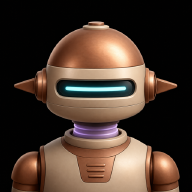
It’s the agent you meet and customize at setup. Use any name and avatar you’d like. It handles what you bring it and looks after anything that doesn’t have an agent of its own yet.
-
It sets up the rest of your team
Hand it something ongoing, like a client or a launch, and it offers to set up a Sphere for it with a dedicated agent you can give its own accounts, tools, and approval rules. Rather keep it with your Chief Think Agent? Say “undo that” right after.
-
They come with you
Your computer stays home base for your agents and their memory. Pair the iPhone and iPad app to follow their work and answer approvals from anywhere.
Each agent can wear its own look, including an image you upload, like an NFT.






Yours to keep
Most AI keeps what it learns about you locked inside its app. Your Think Agents keep it where you choose.
Work Memory lives on your computer as plain files you can read, edit, and back up, or on your own private ThinkOS Computer. Bring the models and apps you already use, and switch whenever you like. Your agents, and all they know, stay yours.
How it works
A working relationship, not another chat box.
Your Think Agents keep what they learn, so they get more useful the longer you work together. It starts with the first one you meet: your Chief Think Agent.
-
01 · MEET
It starts with a hello
Choose the AI you already use, and ThinkOS starts your Chief Think Agent in your first conversation. It introduces itself and asks for one thing to handle. Click its avatar to give it a name and a look that suit you. You can make Spheres for the parts of your life and work that need their own context when you are ready.
Max
I’m Max, your Chief Think Agent. Tell me one thing you’d like handled and I’ll get started. You can rename me or change my look by clicking my avatar.Keep my inbox triaged each morning. -
02 · LEARN
It learns how you work
Tell it how you like things done and it remembers, saving what it learns to Work Memory as plain files on your computer. Changes to shared memory wait for your review. Your Profile keeps your hours, time zone, and how you want agents to talk to you. Review, edit, or delete any memory whenever you like.
I prefer the morning brief before 9, three items at most.memory / morning-brief.mdSavedMorning brief
- Before 9:00, three items at most.
-
03 · WORK
It works alongside you
Connect your email, calendar, docs, and the other tools you rely on. Your Chief Think Agent does the legwork, keeps work moving on a schedule, and brings you what needs you, from your computer or your phone.
Morning brief · daily, 8:30 Gmail
Gmail Calendar
 LinearMax
Three things today: the board meeting at 10:00, Sam’s renewal, and two Linear bugs marked urgent overnight. I drafted the reply to Sam.Reply to Sam about the renewalGmail draft readyNeeds you -
04 · TRUST
You stay in control
New conversations start on Ask for approval, so it checks with you before using the internet, editing files, or controlling apps. Give it more room as trust grows, one conversation or Sphere at a time, and take it back whenever you want.
Ask for approvalAsks before using the internet, editing files, or controlling apps.Approve for me (with guardrails)Only asks for actions ThinkOS detects as potentially unsafe.Full accessUnrestricted access to the internet, apps, and files on this computer.
Trust
An agent you can trust with your real work.
Privacy isn’t a setting in ThinkOS. It’s how your agents are built.
It works for you
Your agents run on your computer with the model you choose: your own subscription or API key, ThinkOS credits, or a local model that keeps prompts on your computer.
What it knows stays private
Sync and shared Spheres are encrypted end to end on your devices, so our servers only store their contents in encrypted form.
Your passwords stay out of chat
Credentials for the tools you connect are protected by your system’s secure storage and never pass through chat. Revoke access anytime.

ThinkOS Computers
Your agents keep working when your laptop is closed.
ThinkOS Computers are private, always-on cloud computers for your agents, each with its own encrypted Brain. Pin the agents and workflows that should never sleep, and reach them from your phone. Set one up in Settings → Cloud computers with your ThinkOS account.
Now available
Say hello to your Think Agents.
ThinkOS is free to download, and everything your agents learn is yours to keep.
For Mac, Windows, and Linux
Questions
Frequently asked questions
Product
What is ThinkOS?
ThinkOS is an app for working with AI agents. You organize your work into Spheres, like a company, a client, or a project, and agents take on the work in each one. Your Chief Think Agent is the first agent you meet, and each Sphere can have a dedicated agent with its own accounts, tools, and approval rules.
What is a Chief Think Agent?
It's the first Think Agent you meet when you set up ThinkOS. It introduces itself, takes on whatever you hand it, and looks after anything that doesn't have an agent of its own. Hand it something ongoing and it can set up a Sphere with a dedicated agent for it. You can rename it or change its look by clicking its avatar.
What devices does ThinkOS work on?
ThinkOS runs on Mac, Windows, and Linux computers. The iPhone and iPad app is in public beta, and Android is in early testing. Your computer is home base: it keeps your memory and runs your agents, and your phone or tablet connects to it so you can keep working from anywhere. There's no browser version yet.
How is ThinkOS different from existing AI tools?
Most AI tools keep your memory, workflows, and agent setup locked inside their own product. ThinkOS keeps them on your computer and works with the models you choose, so your agents and everything they've learned stay yours.
Is ThinkOS model-agnostic?
Yes. Run local models through Ollama, sign in with your Claude, ChatGPT, Gemini, Grok, or Cursor account, or add an OpenAI, Claude, or Venice API key. You can switch models without rebuilding your setup.
What will paid plans add?
ThinkOS is free to download and use on your computer. Paid plans add capacity and collaboration, such as more encrypted cloud sync and shared Spheres for teams.